

If you haven’t claimed your Google Business Profile yet (or you’re not even sure what that is), you’re probably wondering how it ties into SEO.
Spoiler: your Google Profile isn’t “extra.” It’s the foundation.
Psst… I joined Brittany Herzberg on her podcast, The Basic B, to nerd out about all things Google Business Profiles and SEO, so take a listen.
Your Google Business Profile is basically the Yellow Pages—but smarter
Imagine you could talk to Google about your business in a language it actually understands… instead of making Google squint at your website and guess what you do, where you are, who you serve, and why anyone should trust you.
That’s what your Google Business Profile (GBP) does. It’s basically the Yellow Pages for your business.
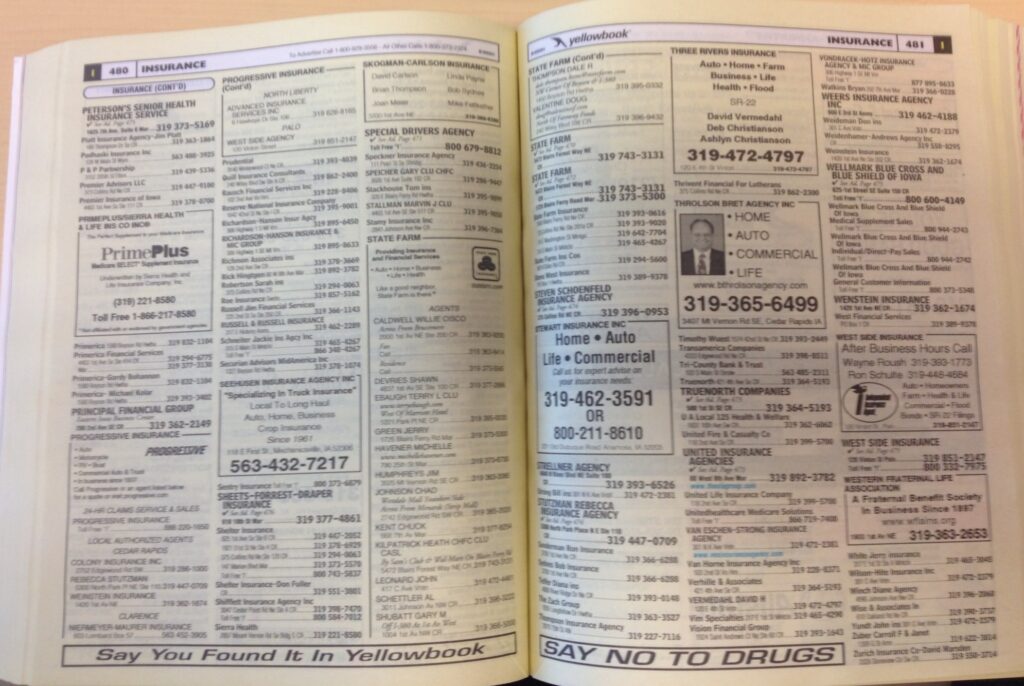
But in this situation—and THIS IS THE COOL PART—you can have a premium listing for free. Just by adding stuff to your Google Business Profile!
Back in the Yellow Pages days, you had to pay extra for bold print, or the holy grail: your own little BOX around your business name! GAH!—the drama.
Beware of Google Business Profile scams. Shifty companies call business owners and claim their profile is “broken” and you have to pay to fix it. Google Business Profiles are completely free. Always.

How to get your business in Google AI Overviews
One of the biggest perks of claiming (and actually filling out) your Google Business Profile is showing up in AI Overviews—the little paragraph Google sometimes slaps at the very top of your search results.
When someone searches for a business like yours, Google needs quick, trustworthy info to give them.
Wow, what if Google had its own listing of businesses with details about what they offer?
OH WAIT, THEY DO.
Adding lots of info to your GBP is the first step, and soon, you’ll start to see info from your GBP appearing in AI Overviews… especially your services list and your reviews.
Translation: your GBP is only getting more important.
FREE RESOURCE: 3 Quick Fixes for your Google Business Profile
Get the guide
What matters on your Google Business Profile?
Start with the basics: your company details—name, address, and phone number.
Google cares a LOT about Name, Address, and Phone being consistent all across the web.

Those three pieces of info should match everywhere: your website (put it in your footer on every page), online directories, social profiles… everywhere you’re listed online.
(This might require some legwork. But don’t give up. It’s SO important.)
Next up: Services. And bonus: I have a guide to help you out!
You’ll want this free guide, 3 Quick Fixes for Your Google Business Profile so you know how to update Services the right way.
If you want the deeper dive, dig into the podcast! We cover the Local Pack (those map results at the top), what it takes to show up there, and what to do if you move your business.
Listen now
Need a little more help?
I can review your Google Business Profile and tell you exactly what to fix, give you 3 Quick Google Business Profile Fixes (for free!), or help you go full main-character-energy on reviews with my Guide to Getting Clients with Google Reviews (also free).
You can always join me on Instagram for more coaching tips (and the occasional spicy opinion about photography and business, too!
How to work with me
Virtual business mentoring: Workflow, process, technology, setting up your new CRM… if it’s related to your photo biz, it’s on the table. We’ll pack a ton of value into a 90-minute call, I promise.
Website strategy and website audits: I’ll help you see where your site’s failing and we’ll turn it into a conversion machine.
Google Business Profile audits: Show up more in local searches with a Google Business Profile that sings.




0 Comments